

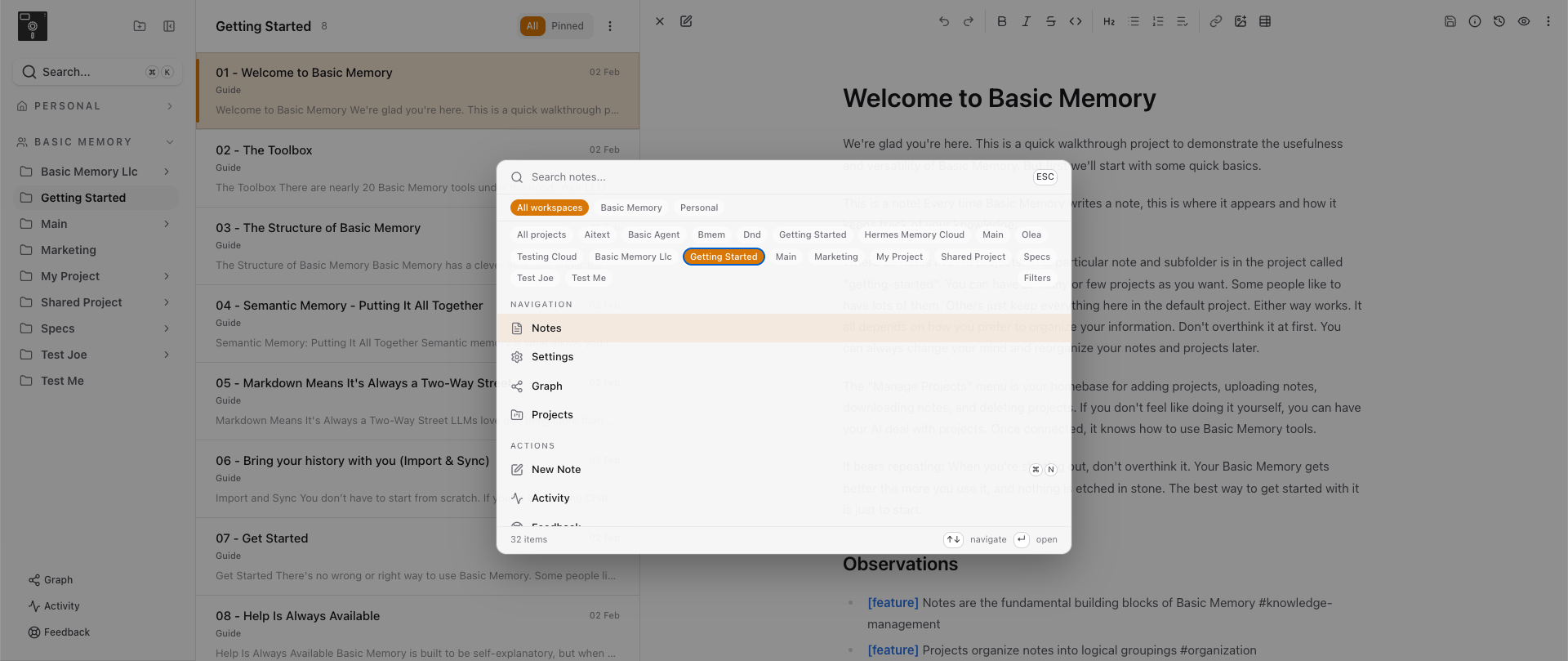
In February I wrote about the new editor. That post ended with a promise: the browser needed work too, and we weren't done.
Today we're done with that part. We rebuilt the entire web app: the workspace you browse notes in, the way you share them, the history behind every file, and a new way to see your knowledge graph. It's live now, and you should go try it.
This came out of months of talking to people about how they actually use Basic Memory, not how we pictured them using it. The pattern was consistent. People browse projects, jump between connected notes, search for something half-remembered, and try to see how it all fits together. The old app made every one of those harder than it needed to be. So we fixed it.
The Redesigned Workspace
The first thing you'll notice is that it looks better. That's not the point, but it's true, and it matters. A tool you find ugly is a tool you open less.
What changed is underneath. Browsing is faster. Pinned notes stay where you can reach them. You can switch between list and gallery views depending on what you're doing: list when you're working through notes methodically, gallery when you're hunting for something and a wall of titles isn't helping.
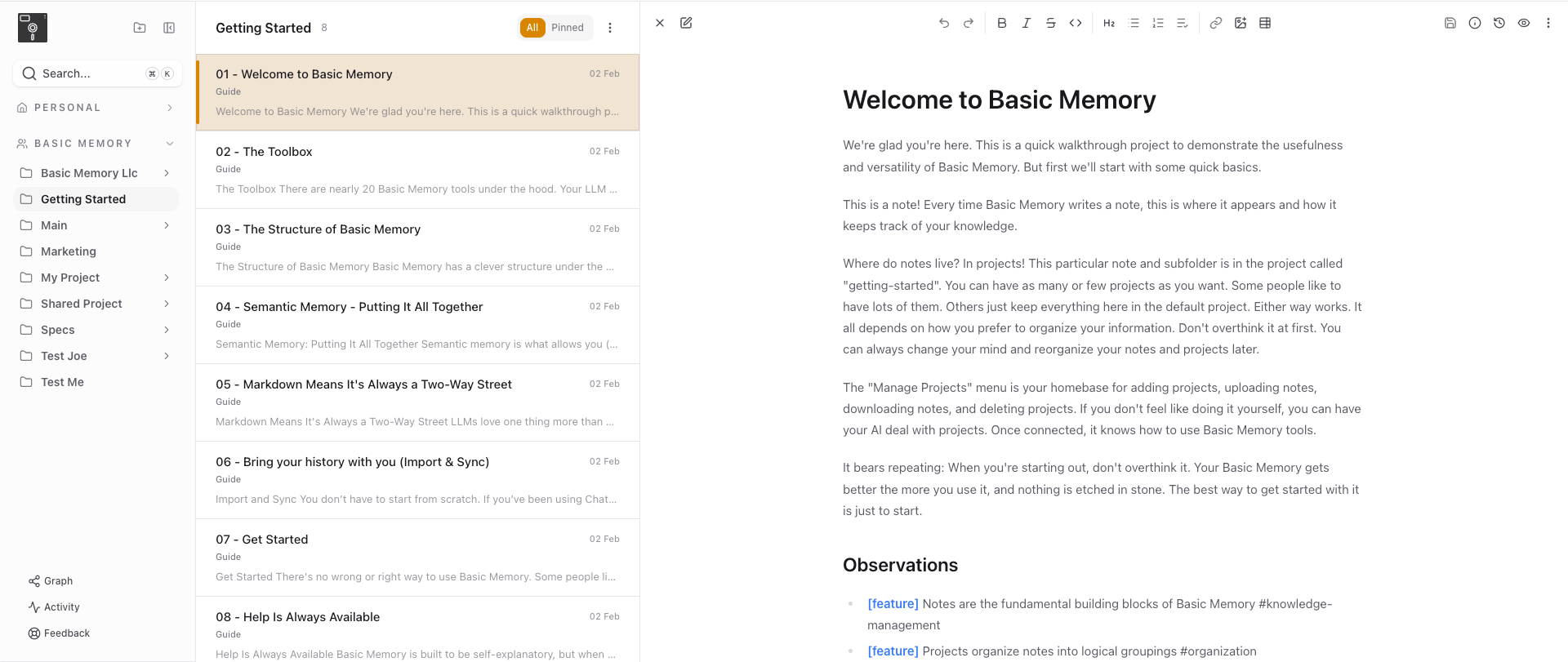
If you've used a note-taking app before, none of this needs a tutorial. That was the goal. The structure underneath (entities, observations, relations) is exactly what it was. We just stopped making you fight the interface to get to it.
The Editor, In Its Place
The ProseKit editor we shipped in February is still here: live, preview, and source modes, wikilink autocomplete, the slash menu, the keyboard shortcuts. If you missed that one, the February post covers it in detail.
What changed is the workspace around it. Frontmatter editing, rich text, Markdown source, and preview are all a keystroke apart. After February the editor was the best part of the app. Now the rest of the app caught up to it.
Search That Keeps Up
Search is faster and more accurate. Since v0.19.0 it's been semantic by default, so you can ask for "login security" and find the note that says "authentication hardening." This release is about the part you feel: results come back fast enough that you keep typing instead of waiting.
Public Note Sharing
This is the one I'm most glad to ship. You can now share a note publicly, the way you'd share a Google Doc. Send someone a link. They read the note. No account, no install, no exporting to a PDF that's stale the moment you make it.
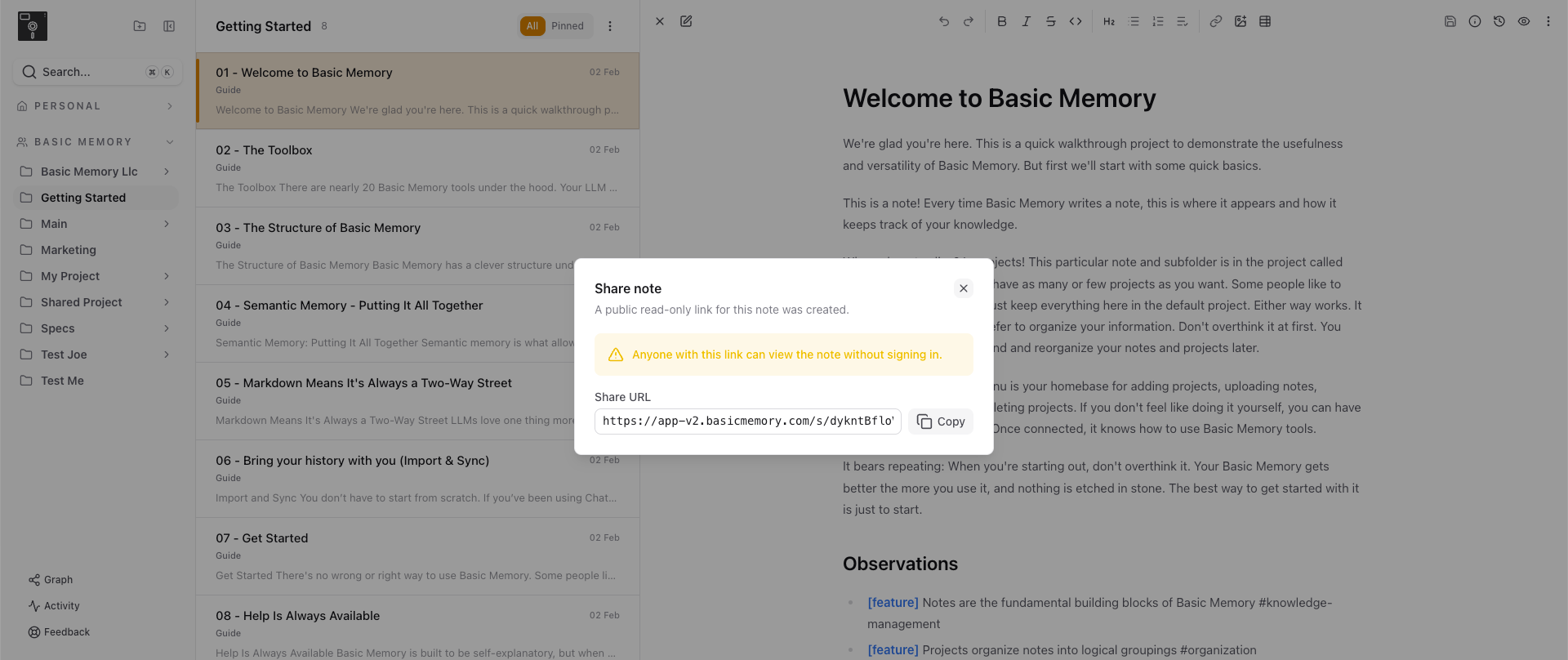
Basic Memory has always been about knowledge you own. Owning it shouldn't mean it's trapped. If you've built up a researched answer, a runbook, or a decision record, you can hand it to someone now without handing them your whole knowledge base.
Version History, Per File
Every note now has per-file version history. You can see how a note changed over time and what it used to say.
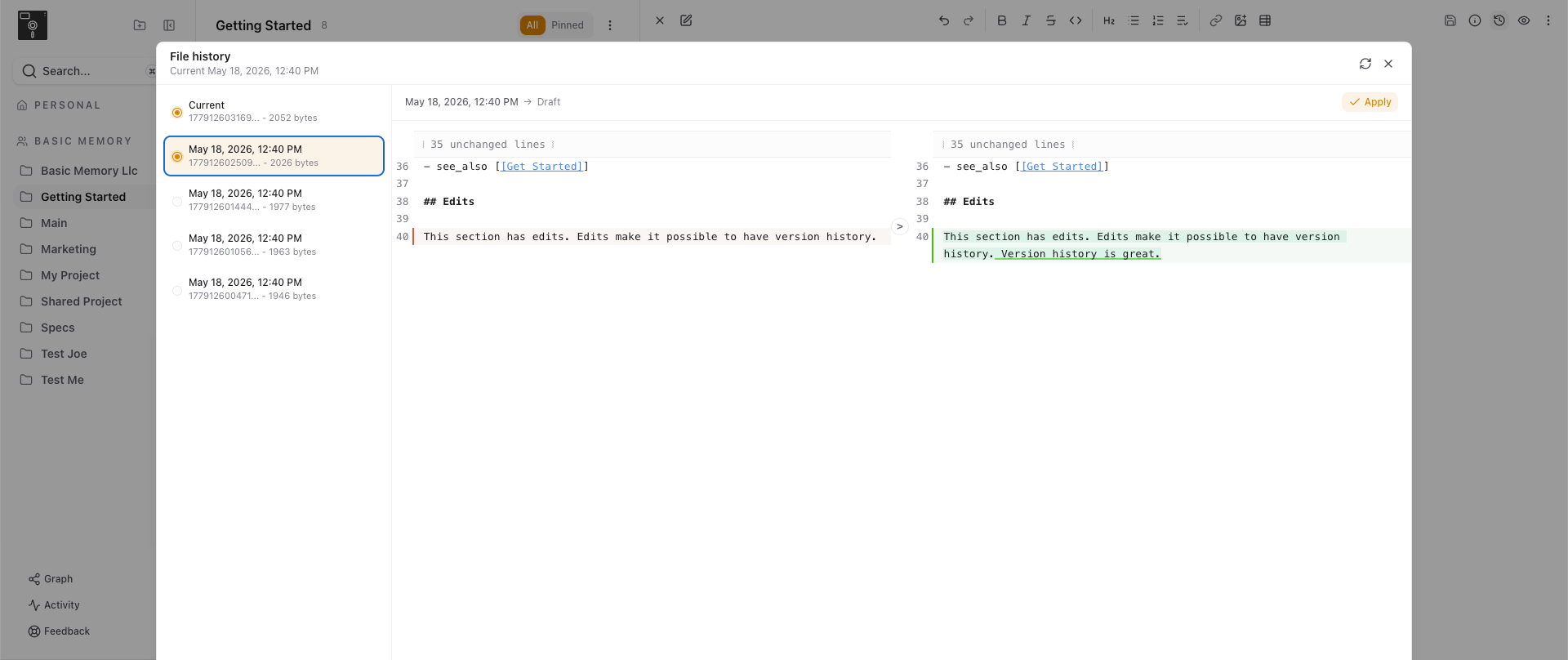
This matters more with AI in the loop. When you and an LLM are both writing to the same notes, "what changed, and when" stops being a nice-to-have. It's how you trust the system. History makes the collaboration auditable instead of mysterious.
The Connective Tissue
A few things that don't each need their own section but add up:
- Mermaid rendering. Diagrams in your notes render as diagrams, not code blocks.
- Imports. Getting knowledge in stays easy.
- Snapshots. Point-in-time captures of your whole knowledge base.
- Live activity updates. Changes show up across devices without a manual refresh, so the note on your phone matches the note on your laptop.
None of these are headline features. Together they're the difference between an app you check and an app you work in.
Seeing the Graph
Your notes have always been a graph: observations and relations, things you know and how they connect. Until now you mostly had to take that on faith. The new graphing and visualization tools let you see it. The shape of what you've built, the clusters, the connections you forgot you made.
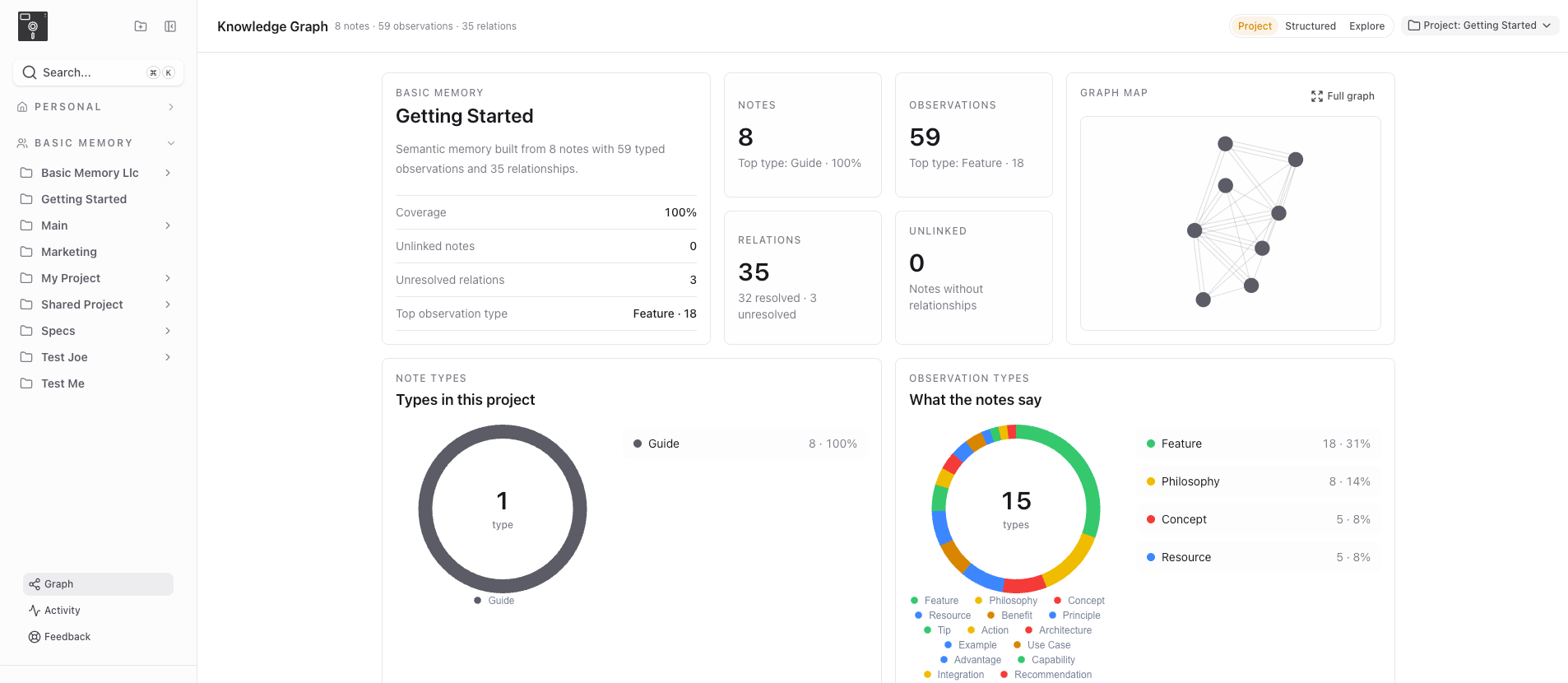
This is the feature nobody asks for and nobody stops using once it's there. Knowledge you can see is knowledge you can reason about.
One More Thing: Basic Memory Teams
Everything above is built for one person and their AI working a knowledge base together. A lot of you wrote in asking the obvious next question: what about my team?
This week we're opening invitations to the Basic Memory Teams beta. Teams gives your organization a shared workspace, so teammates and their AI agents build on the same notes and the same knowledge graph. You get sharing controls, versioning, and real-time collaboration between humans and LLMs, and your organization keeps full control of its knowledge.
If you've been waiting for this, email us for a 30-day free trial.
Why We Built This
Basic Memory exists because your knowledge should live in plain text you control. That hasn't changed and won't. But "plain text you control" was never supposed to mean "the tools for working with it are mediocre." The local experience, your own editor and filesystem and backups, is still first-class. For people who want cloud sync, AI integration, and access from anywhere, the web app should be just as good. I've been living in it for weeks and I don't find myself wishing I were back in my local setup. That was the bar.
What's Next
We're not done. We're never done. But the gap between Basic Memory the idea and Basic Memory the app you actually open is the smallest it's ever been. Go see for yourself.
If you're already on Basic Memory Cloud, the new app is live. Check it out here. It's now the default Basic Memory experience.
Try Basic Memory free at basicmemory.com
Further Reading: