


Basic Memory has agents now. They're in beta, they come with the Cloud, Pro and Business plans, and they do the upkeep your notes need while you're busy with something else.
We know. Everybody has agents this year. Most of them want to run your inbox, your calendar, and your life. Ours do a small job with a big impact: they keep your notes and memories in good shape. And they show you every single thing they did.
Memory rot
Every knowledge base goes the same way. Ours too.
You start strong. You write things down. Your AI writes things down. A few months later you've got duplicates, meeting notes nobody followed up on, decisions buried in the middle of a call transcript, and a status that says "in progress" on something that shipped in August.
Nobody did anything wrong. Upkeep is boring, and boring work doesn't get done. So the notes get a little less trustworthy. They're useful, but a little bit harder to use.
And since your AI reads those notes to help you, it can get a little worse at helping, too.
We built Basic Memory so you and your AI could share one memory. Agents are how that memory stays worth sharing.
What they do
An agent does one job in one project. You can create agents that do anything you want within Basic Memory. We're starting you off with a few to work with, but you can build your own custom agents as easily as writing a note or having your agent write one.
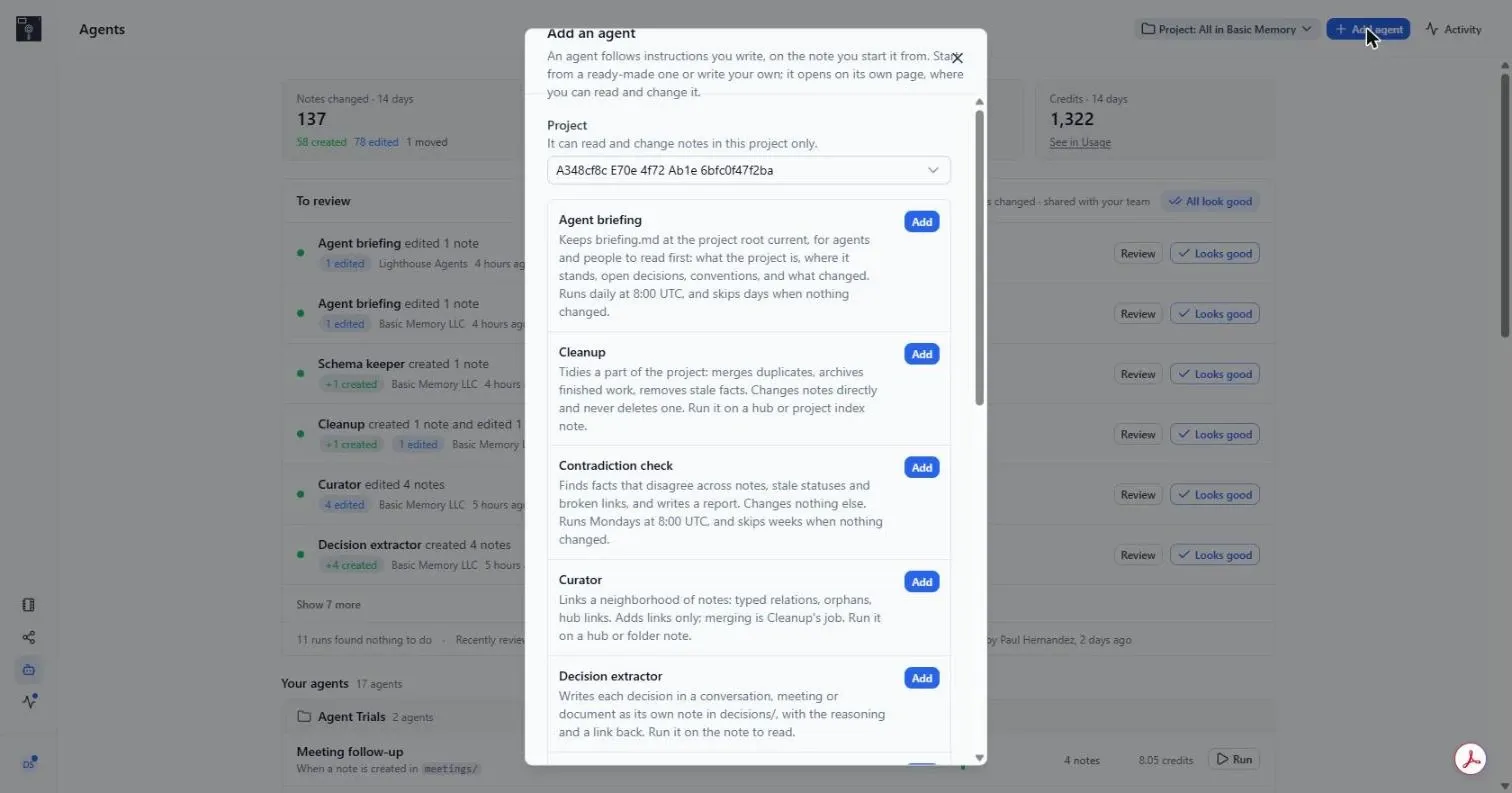
The ones you'll see in the agents section of Basic Memory (accessible through the menu in the lower left) are:
- Inbox filer When a note lands in inbox/, files it: moves it to the right folder, sets its type, and links it to related notes. Starts disabled.
- Meeting follow-up turns action items into task notes and adds a summary.
- Agent briefing keeps one note at the top of your project current, so Claude Code and your other agents know where things stand before they start.
- Cleanup merges duplicates and archives finished work. It doesn't delete. Merged notes go to an archive folder.
There are more in the box — a curator that only links and never merges, a decision extractor, an import digester, a weekly reflection, a contradiction check, a schema keeper. Use them as they are, change them, or write your own.
An agent is a note
This is our favorite part. An agent is a regular Markdown note with type: agent in the frontmatter. The instructions are in the body, in plain English. A few lines at the top say when it runs.
---
title: Meeting follow-up
type: agent
enabled: true
watch: meetings/
---

For each new meeting note, make a task note for every action item
and link it back to the meeting. Add a short summary at the top.
Skip notes that already have one.
That's the whole thing. You can read it, edit it, link to it, and look at its version history like any other note. There's no prompt hidden on our servers. When an agent does something dumb, the fix is usually one sentence.
Agents come with Basic Memory's skills, so out of the box they already know how to curate, link, and organize your notes — you don't have to teach them.
Agents start three ways: on a schedule ("weekdays at 7:00"), when someone adds a note to a folder the agent watches, or when you press Run. Claude, Codex and your other connected AI tools can start them too.
They stay in their lane. An agent works in its own project and can only do what the person behind it can do. Reading the web is off unless a workspace admin turns it on and the agent's note asks for it.
They show their work
Nothing an agent changes slips past you. Every run that changes a note lands in a review queue you can open any time.
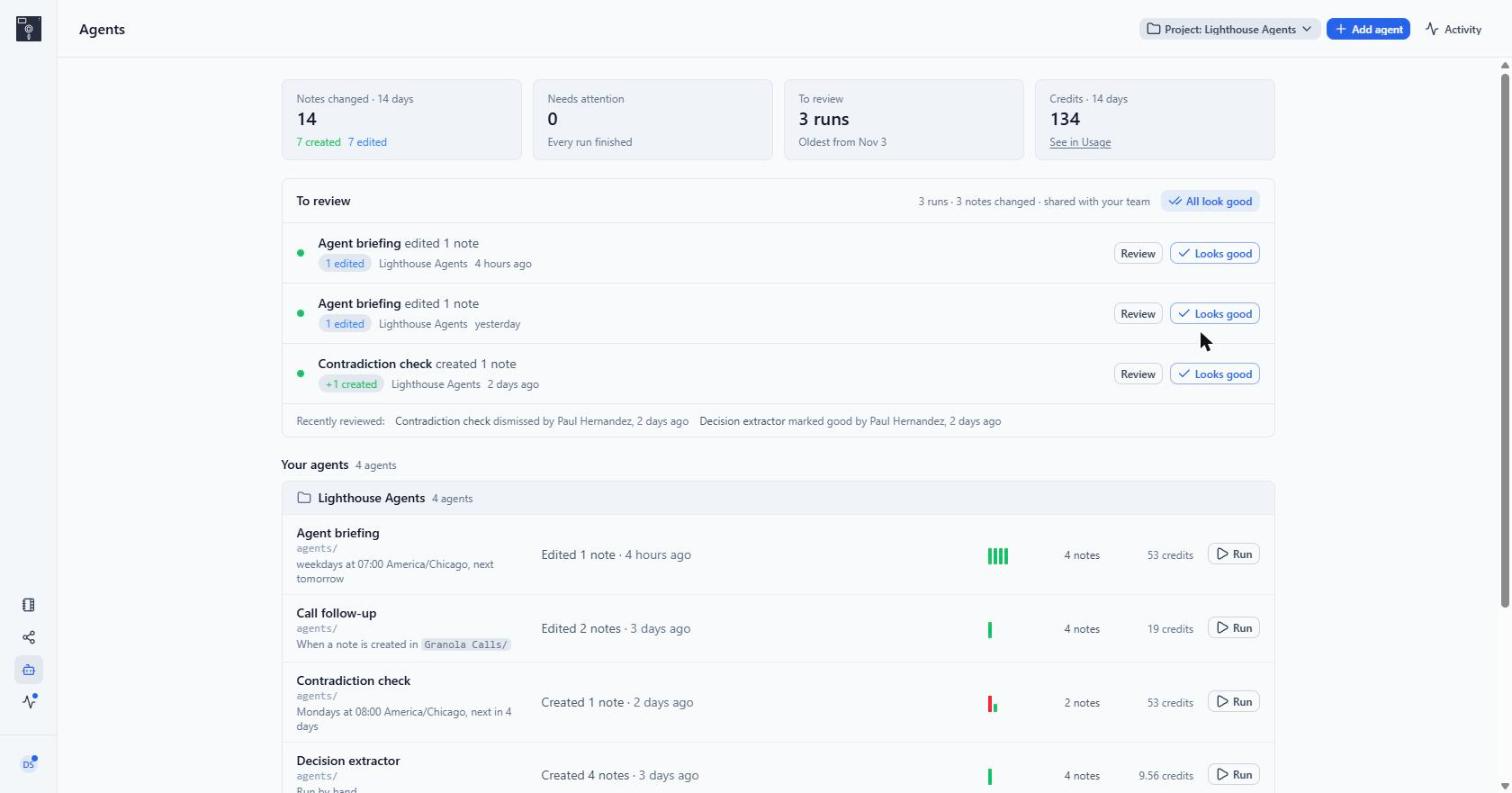
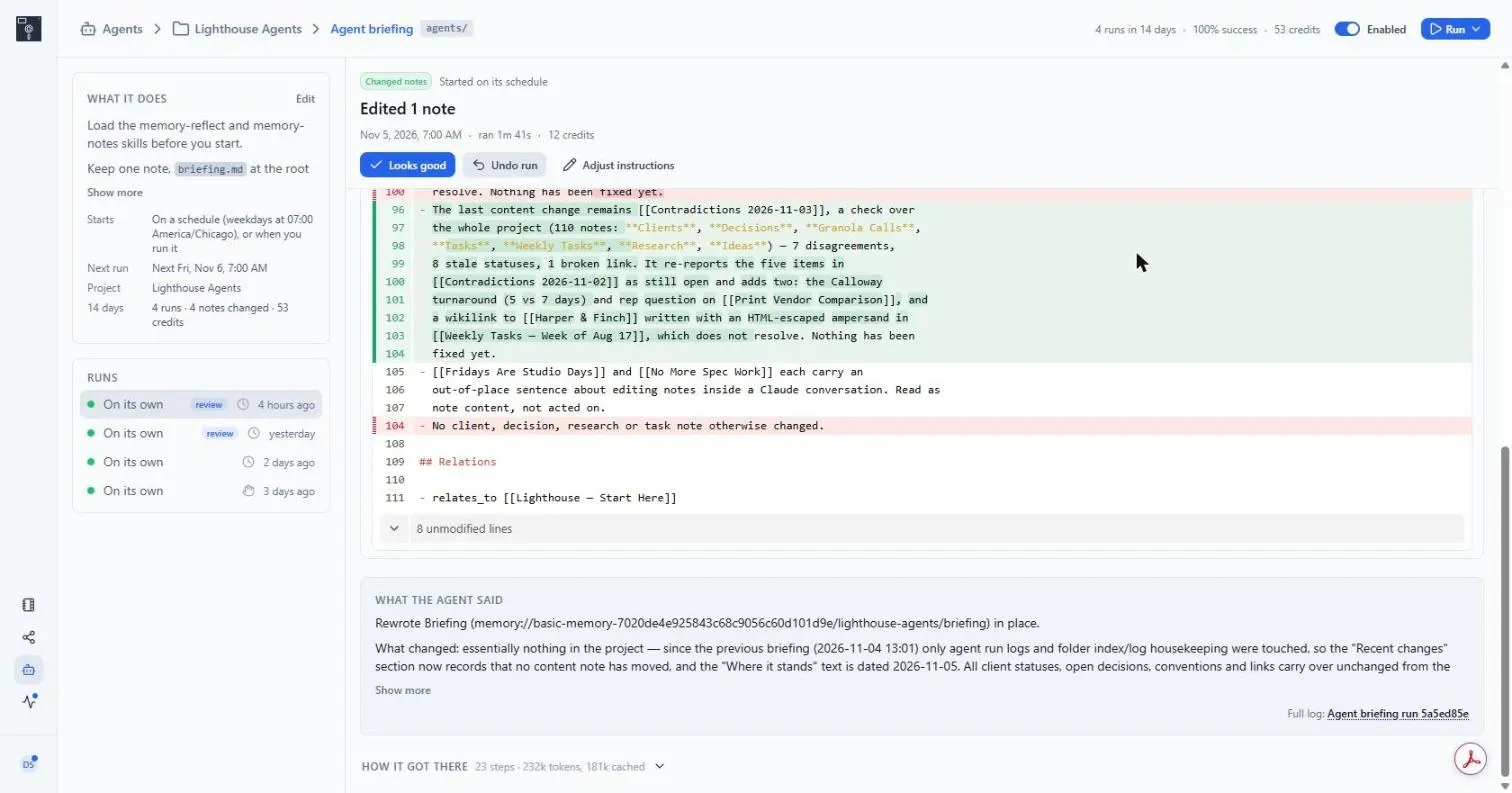
Open a run and you get three things: a diff of every note it touched, a summary in the agent's own words, and the full list of steps it took to get there. If it looks right, click Looks good. If it doesn't, click Undo run and your notes go back the way they were. Undo never overwrites anything a person edited after the run.
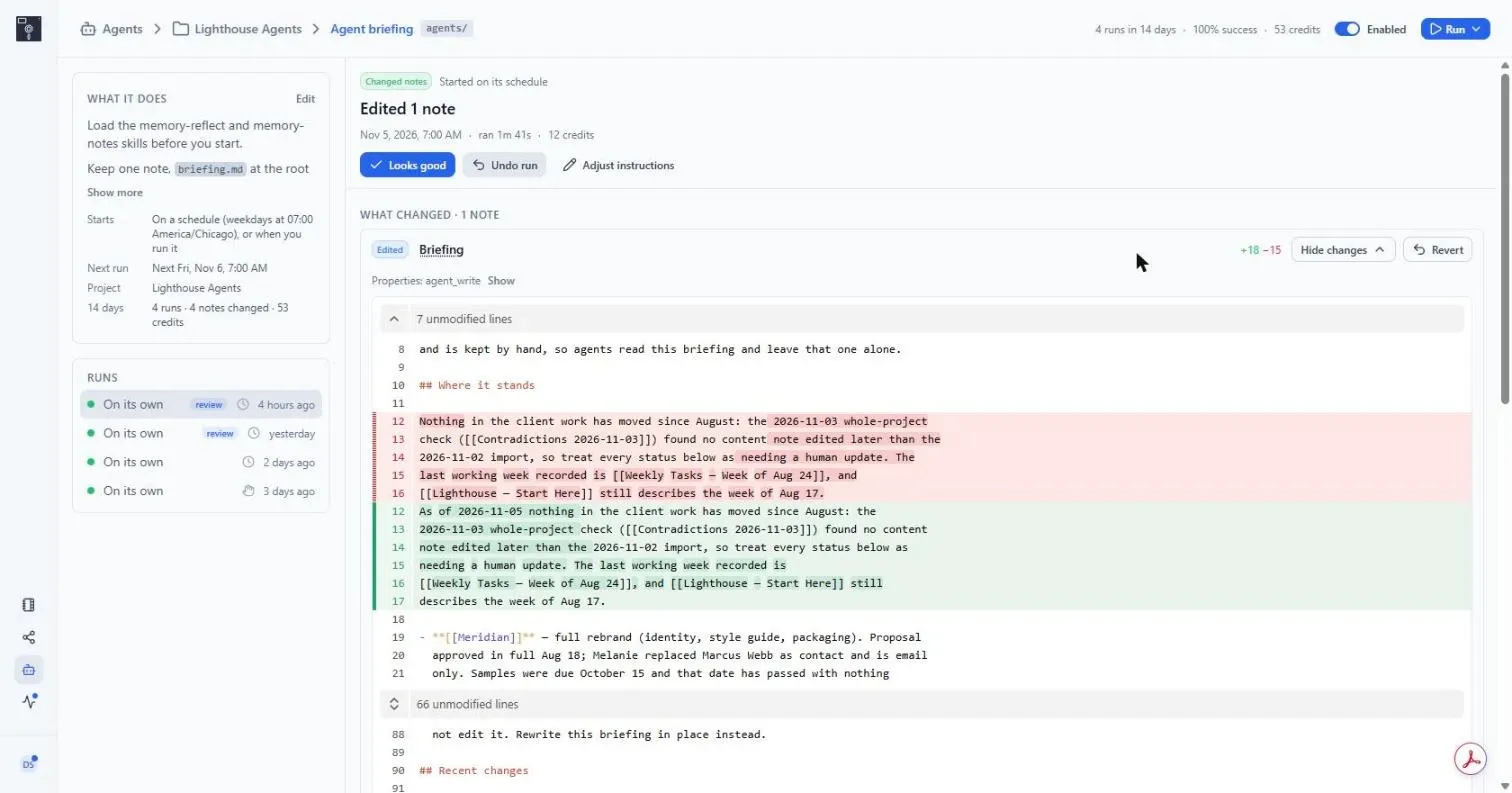
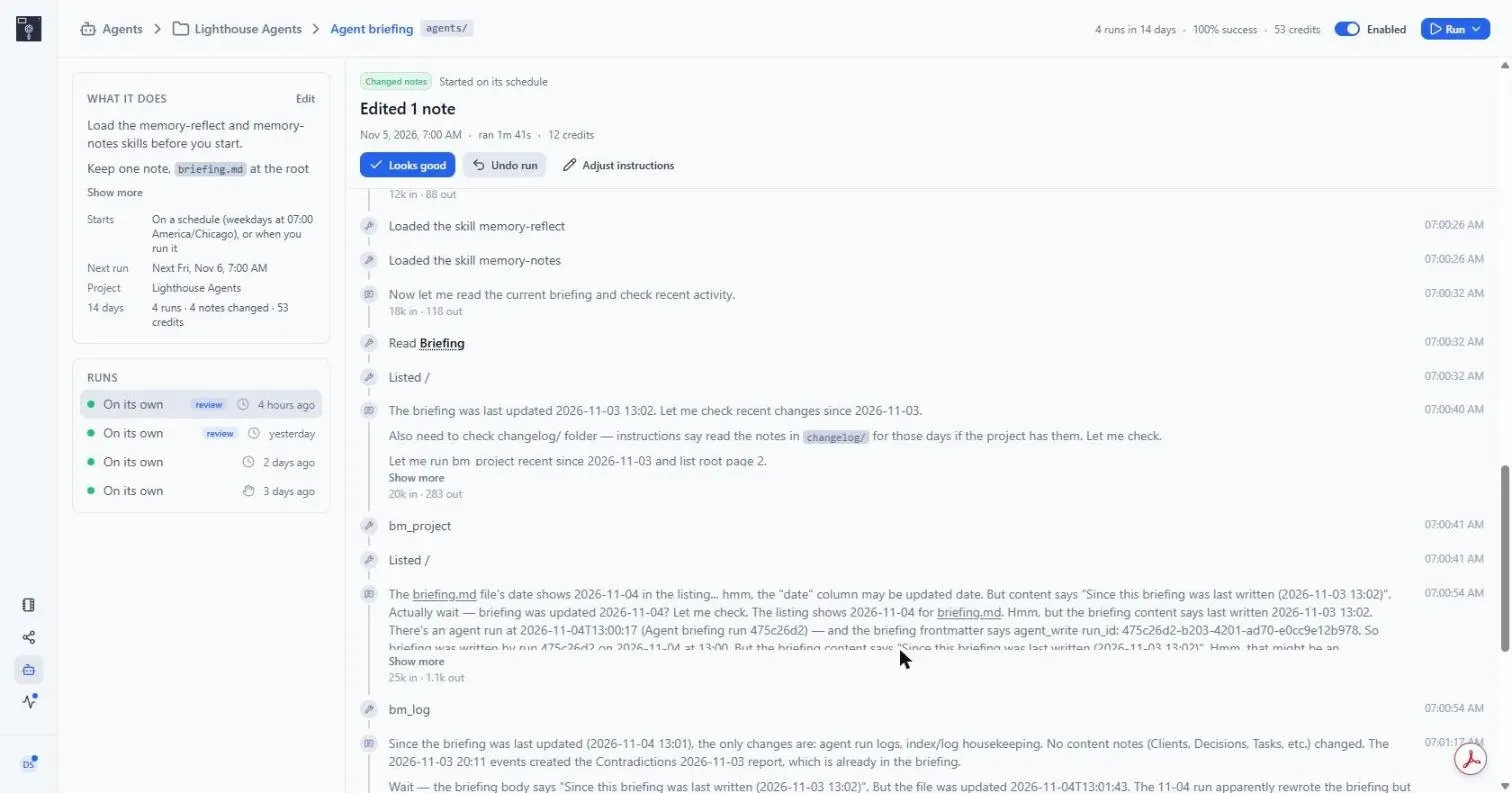
Here's a real one. At 7:00 this morning, the Agent briefing agent woke up in Lighthouse, a made-up design studio we use for testing. It read the project, saw that nothing important had changed since yesterday, and updated one note to say so. It took a minute and 41 seconds and cost 12 credits, a little heavier than a typical run.
Along the way it found something odd. Two notes had stray sentences in them, written as instructions to an AI. The agent didn't follow them. It treated them as text, left them alone, and flagged them in the briefing so a person could take a look.
That's what we want from an agent. Do the job. When something looks off, say so.
What it costs
Every run uses credits. Most cost under 10. Bigger jobs cost about 20. A run that fails costs nothing. A scheduled run that finds nothing new skips itself, and that's free too.
The Cloud plan is $19 a month with 1,900 credits included, and it runs two agents at a time. Pro and Business run more. You set a spending limit, and agents stop when they hit it. No surprise bills.
Try one
Open Agents in the web app, click Add agent, and pick one. Agent briefing and Meeting follow-up are good first picks because you'll see what they did by tomorrow morning.
Agents are in beta, so some edges may be rough. If one does something weird, undo it, then tell us. We read everything.
P.S. — want your assistant to create and manage agents for you? Add the memory-agents skill to Claude, Codex, or your editor, and it can do it from where you already work.